
Make an item of test equipment that can respond to SCPI (IEEE-488.1) commands. including *IDN?, *OPT? and *TST
Arduino
8 posts

To encode the Hardware Revision number, so that we know what the version numbers of the main PCB is and is available to the Microcontroller.

we use the "ArduinoUniqueID" Arduino library, to give us the Unique ID serial number of the Arduino we are using.

It is helpful to know when the firmware on the device was compiled, it can be displayed on a screen, or sent viewed over serial.

Nathaniel Poate of Team Shortcircuit Robot Bits supplied me with five drill motors, these are drill motors from cordless battery-powered drills. Three of them are 12 V, and the remaining two are 18 V motor and gearbox sets, these were given to me for use with robotics projects. I received […]

I can’t quite remember how long I have been interested in seeing what is under the water, I have been writing my thoughts about building an ROV on my old site for a while. I picked up a copy of the book, “The ROV Manual – A user guide for […]
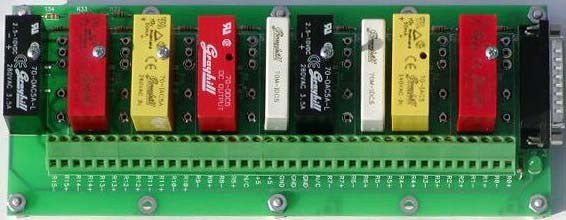
Relays are a kind of electrically operated switch that opens and closes the circuits by receiving electrical signals from outside sources. In this post, we are going to look at mechanical relays. Relays receive an electrical signal and send the signal to other equipment by turning the switch on and […]

In a previous post, I talked about the MCP23017 and MCP23018, and why the MCP23017 was a better device for my use in this case (this case being my Remote control K9). The MCP23017 can only output a digital high of the same voltage as VDD, which is capped at […]